

About Us
Single-USB vs Multi-USB Network Print Servers: Which One Do You Need?
Introduction
When choosing a network print server, one of the most common questions businesses faces is whether to use a single-USB or a multi-USB network print server.
While both solutions enable USB printers to be shared over a network or the cloud, their use cases, scalability, and deployment costs can vary significantly.
This article explains the key differences and helps you determine which option best fits your application.
What Is a Single-USB Network Print Server?
A single-USB network print server is designed to connect one USB printer to a local network or cloud printing platform.
Key Advantages
Typical Use Cases
What Is a Multi-USB Network Print Server?
A multi-USB network print server supports multiple USB printers simultaneously, usually 2 to 3 printers connected to a single device.
Key Advantages
Typical Use Cases
Single-USB vs Multi-USB: Key Differences
| Feature | Single-USB Print Server | Multi-USB Print Server |
| Number of Printers | 1 | 2–3 or more |
| Deployment Cost | Lower initial cost | Better cost efficiency at scale |
| Installation Complexity | Very simple | Moderate |
| Scalability | Limited | High |
| Ideal Users | Small businesses | Medium to large deployments |
Which One Should You Choose?
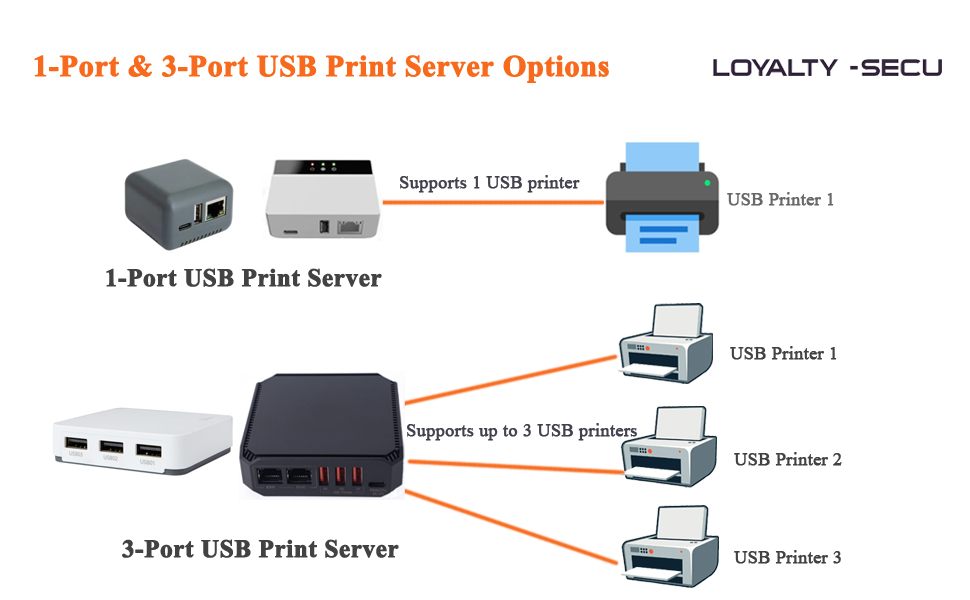
Which One Should You Choose?
The right choice depends on your printing environment and future expansion plans:
Cloud Printing Considerations
For cloud printing applications, both single-USB and multi-USB print servers can be integrated into a centralized cloud printing system.
Multi-USB models are often preferred in cloud deployments, as they reduce hardware quantity while maintaining high printing efficiency.
Conclusion
Both single-USB and multi-USB network print servers have their advantages.
Understanding your current needs and future growth plans is key to selecting the right solution.
If you are unsure which option is best for your project, consulting with a professional network printing solution provider can help ensure long-term stability and scalability.
Looking for a reliable network or cloud print server solution?
Contact us to learn more about LOYALTY-SECU single-USB and multi-USB print server products.